

Growing businesses
Make correct sales tax invoices quickly, right in your web browser.
FBR Digital Invoicing Software
Make sales tax invoices, check your customers on the spot, and send each invoice to FBR. You get FBR's invoice number and QR code back. Clear screens and less typing.
Trusted Nationwide
Tax advisers and CA firms who help businesses get started with FBR invoicing.











Who it’s for
One tool for teams that deal with FBR every day. No long IT project needed.
Make correct sales tax invoices quickly, right in your web browser.
Check buyers, apply tax rules, and submit to FBR with confidence.

Help clients stay on the right side of FBR, and handle many invoices at once as they grow.

Less spreadsheet work. More invoices right the first time.
How it works
No guesswork on tax rules. No hunting for the right customer details.
Type the buyer's NTN or CNIC and see their FBR details before you bill.
Add the items you sold. Sales tax and further tax are worked out for you.
Check the totals, then send the invoice to FBR. Every step is recorded.
Get FBR's invoice number and QR code for your records and your buyer.
What you get
Simple screens for finance teams. Not a general billing tool with FBR added on later.
Step-by-step screens, so staff can make sales tax invoices without learning every FBR field by heart.
See the buyer's NTN or CNIC details before you bill. Fewer rejections from wrong customer details.
Sales tax and further tax worked out on each line. Less adding up by hand.

Every accepted invoice gets FBR's invoice number and QR code, for buyers and auditors.
Stop typing invoices one by one, without moving to a new product. Bulk invoicing is in the same place.

Start on the screens today. Link your ERP or billing system through the API when your team is ready.
See the product
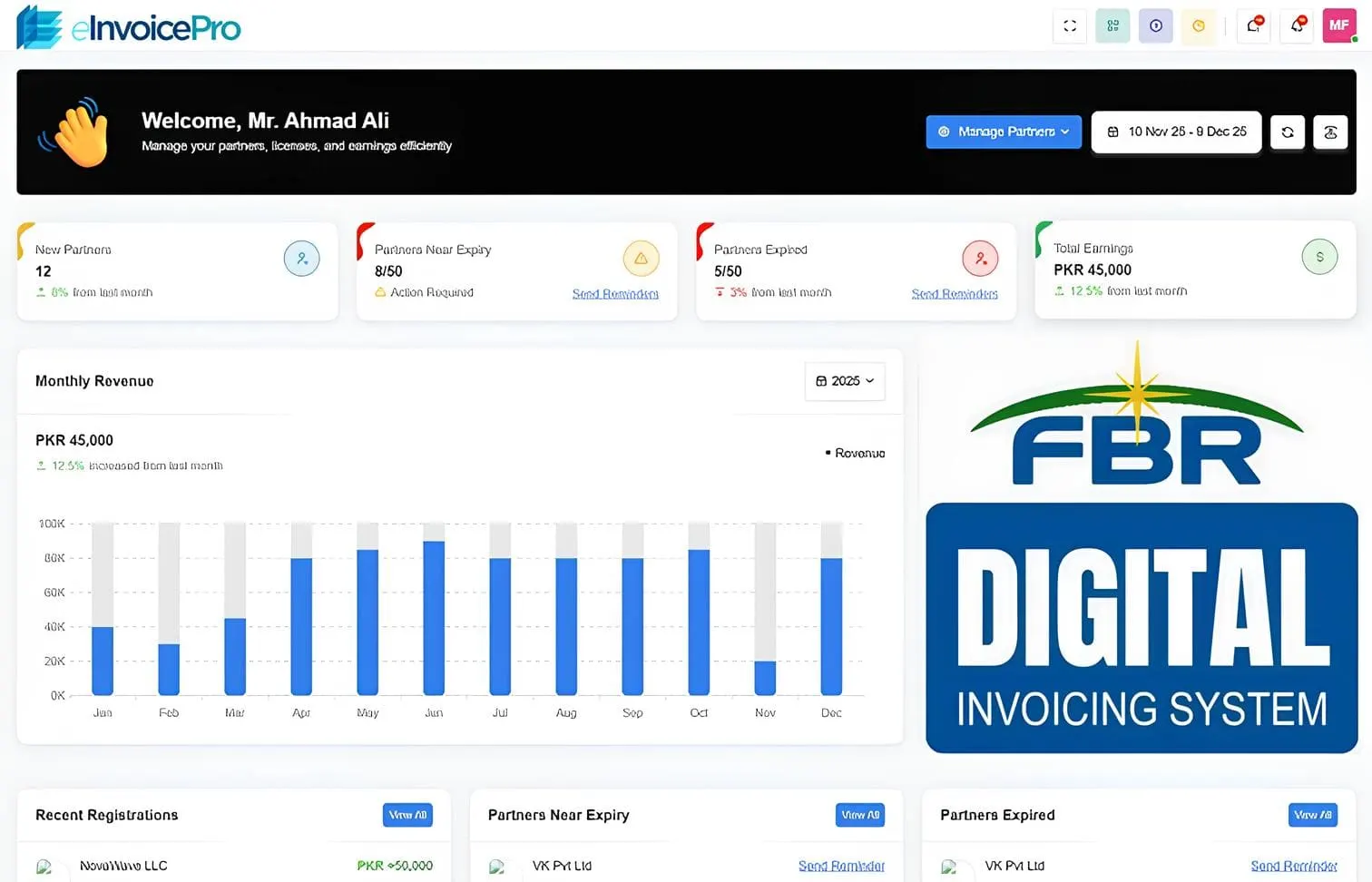
The screens your team uses every day. The details FBR cares about are highlighted.
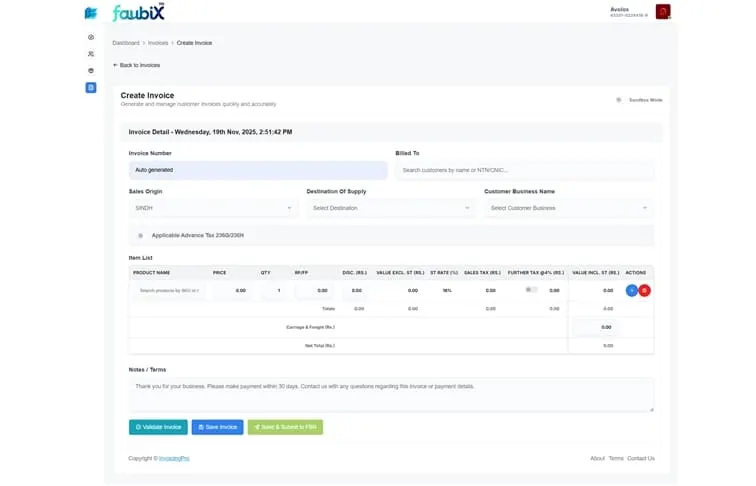
Check the buyer's NTN or CNIC before you add items. Catch problems before you send.
Sales tax and further tax are added to each item, so your totals match what FBR expects.
Send the invoice and get FBR's proof back, all on the same screen.
Weighing it up
Most teams pick one of three ways. Here is the honest trade-off. Either way, check what applies to you with your tax adviser.
Used by finance teams, CA firms, and growing businesses across Pakistan.
Clear the confusion
Teams often come to us with the same ideas. Here are the plain facts. Check your own case with your tax adviser.
Software alone makes me fully compliant.
That depends on your registration, FBR's notices and how you send invoices. Software does the daily work. Your adviser confirms what applies to you and from when, under rules such as SRO 709.
If I buy software, I do not need IRIS or FBR registration.
You still need to register on IRIS and have valid login details. Software links your invoicing to FBR. It does not replace your own registration.
Honest answers
Straight responses — no sales theatre.
Spreadsheets work until you have more invoices, more tax rules and live FBR sending. Then typing by hand gets slow and mistakes creep in. Software guides your team and checks each invoice, so fewer fail later.
Many CA firms use eInvoicePro for their clients, or suggest it as the daily tool. Your firm still advises you on the rules. The software does the repeat invoicing work.
Rule changes hit every business that must comply. Faubix looks after eInvoicePro, so the product is updated when FBR changes. You are not left fixing your own system alone.
Yes. Most teams start on the screens. When volume grows, or you want to link your ERP, bulk invoicing and the API are there in the same place.
FAQ
Clear answers about FBR digital invoicing software and eInvoicePro.
It is software that helps businesses in Pakistan make sales tax invoices and send them to FBR as they happen. It checks customers and applies tax rules for you. eInvoicePro is made for exactly this job.
Any business registered for sales tax that makes invoices, from small traders to large companies. CA firms and tax advisers who look after clients can use it too.
No. Most teams use the web app every day. If you already have an ERP or your own system, our API team can help you link it, so you do not have to build the FBR link yourself.
Each accepted invoice gets FBR's official invoice number and QR code. You need these for your records, and buyers use them to check the invoice.
You see the reason next to the invoice, so the right person can fix it and send it again. The cause is often wrong buyer details, the wrong tax type or a field filled in wrongly. Seeing failures clearly is why teams leave spreadsheets before they grow.
Book a short demo. Our team will show you the product, confirm your use case, and help you go live with clear next steps.
Continue
Pick the path that matches your volume and systems.
A plain guide for owners, finance teams and CA firms.
Read moreSee how licensed integrators differ from invoicing software.
Read moreWhen one-by-one entry cannot keep up with daily volume.
Read moreLink the systems you already use, without starting from zero.
Read moreJoin 2000+ businesses that use eInvoicePro to make invoices and send them to FBR.