
Go-live guide
From sandbox testing to live FBR invoices
A practical checklist for business and IT teams — prove the path in test, then scale live volume without surprises.
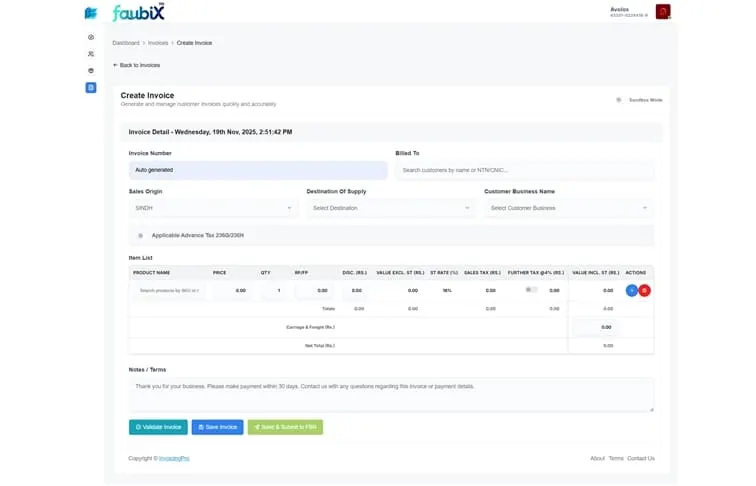
How FBR’s sandbox works
The scenarios you are assigned — and why it is not 28
Before production credentials are issued, you clear a set of test scenarios in FBR’s sandbox. Which ones you get is decided for you, and the number is smaller than almost every article online suggests.
FBR publishes scenarios numbered SN001 to SN028, and search results are full of advice about “passing all 28”. No business is assigned all 28. They are allocated from a matrix of business nature against sector, and the largest set anyone receives is 15. The smallest is two — a service provider selling services clears exactly two scenarios and is done.
You choose business nature and sector yourself, on the technical details screen in IRIS when you enrol. Business nature accepts several selections; sector accepts exactly one. Those two answers decide your whole testing workload, which is why it is worth understanding them before clicking through.
How allocation actually works
Most manufacturer, importer, exporter and general rows carry a common base set, and the sector then adds one or two sector-specific scenarios on top — steel, textile, telecom, petroleum and FMCG each bring their own. Distributor, wholesaler and retailer rows behave differently, carrying smaller sets built around their own sale types.
Three scenarios are gated on something other than your selection: they cover sales to end consumers by retailers, and only become available if your sales tax profile actually says you are registered as a retailer. Choosing “retailer” as a business nature does not unlock them on its own.
Two details that cause avoidable failures
The scenario ID is sandbox-only, and is rejected in both directions. Omitting it in sandbox fails; sending it to production fails. It is the one field whose correctness depends on which environment you are pointed at, which makes it a classic go-live break.
What matters in each scenario is the sale type it requires, not its description. A scenario is cleared by submitting an invoice whose sale type matches what that scenario expects — a plausible-looking invoice with the wrong sale type will not clear it.
Passing is not a review. Once your test invoices succeed the production token is issued automatically — there is no approval queue and no human sign-off, so the only thing between sandbox and live is your own test coverage.
Core path
Four stages before full volume
Walk steering meetings through these stages in order — skipping one is how live incidents happen.
-
Confirm scope and environments
Document entities, invoice types, and whether web screens, bulk, or ERP/API will create invoices. Obtain sandbox access from your integrator and software vendor. Confirm with your advisor which FBR notifications apply.
-
Align people and data
Finance defines correct tax treatment; IT maps ERP or POS fields; advisors answer regulatory questions. Clean master data (buyers, products, UoM) before you waste cycles on repeatable validation errors.
-
Test safely in sandbox
Submit realistic invoices, capture responses, and practice corrections. Test failure paths: wrong NTN, wrong tax rate, network timeouts. Verify QR and official identifiers appear where buyers expect them.
-
Go live controlled, then scale
Start with a monitored live pilot. Watch first confirmations, then open full branches or bulk. Document runbooks for month-end and peak season.
Readiness board
Ready vs not ready
If the right column still has open items, stay in sandbox.
Ready signals
- IRIS registration and integrator onboarding complete per advisor sign-off
- Representative sandbox invoices submitted — including edge cases and expected failures
- Buyer NTN/CNIC validation workflow documented for finance users
- Production credentials stored securely; sandbox keys separated from live
- Retry and escalation path agreed (who fixes, where logs live)
- Official confirmation fields stored — not only PDF printouts
- Controlled live pilot planned with named owners in finance and IT
Not ready yet
- Only one demo invoice tested; real product mix untried
- ERP field mapping “mostly done” but not validated end-to-end
- No one knows what a rejected submission looks like in the UI or API
- Bulk volume deferred to “after go-live” despite known peaks
- Integrator vs software roles still confused in the project team
- Deadlines assumed from blog posts instead of current FBR notices
- No tax advisor review of scope under SRO 709 and later updates
FAQ
Frequently Asked Questions
What is a sandbox in FBR digital invoicing?
A sandbox (or test environment) lets you submit representative invoices without affecting live tax records. It is where you prove buyer data, tax lines, integrator credentials, and software mappings work — including invoices that should fail validation.
Who should be involved before go-live?
Finance owns invoice types and tax treatment. IT owns environments, credentials, ERP mappings, and access control. A tax advisor confirms regulatory scope and gateway path. Software vendors help with product configuration — they do not replace professional tax advice.
How many test invoices are enough?
Cover every pattern you sell in production: standard-rated, exempt, mixed lines, credit notes if applicable, and buyers with different NTN/CNIC formats. Include deliberate errors to verify your team can see and fix rejections. A single “happy path” sample is not enough for high-volume businesses.
When should we turn on bulk?
If daily or monthly volume makes one-by-one entry unrealistic, plan bulk in the product or API during sandbox — not after live pain appears. Peak days (month-end, Ramadan retail, distribution waves) should be simulated before you flip the production switch.
What is the safest way to start live?
Run a controlled live pilot: a limited branch, product line, or date range with finance and IT watching submissions in real time. Expand volume only after confirmations, QR proof, and retry procedures are proven.
Continue
Related reading
Digital invoicing API
Connect systems before you scale past sandbox.
Read moreERP + FBR guide
Ownership and mapping when invoices originate in SAP or Dynamics.
Read moreBulk digital invoicing
Plan high volume before production traffic, not after.
Read moreIntegrator vs software
Clarify gateway vs software before credential handoffs.
Read moreSandbox scenario checklist
Which test cases to design before you ask for production access.
Read moreReady to simplify your FBR digital invoicing?
Join 2000+ businesses that use eInvoicePro to make invoices and send them to FBR.