
NetSuite integration
Connecting Oracle NetSuite to FBR digital invoicing
For finance and IT teams running NetSuite (often OneWorld, often with more than one Pakistani entity) who need every sales transaction filed with FBR without slowing down the people who save it.
The mechanism
The shape of a NetSuite integration
NetSuite gives you three places to hang the FBR step: the moment a record is saved, a background script, and an inbound endpoint. A good design uses all three for different jobs.
1. Mark the transaction when it is saved
A user event script that runs after an invoice or cash sale is saved does one cheap thing: it sets a status field to pending FBR. It does not call FBR. Calling an outside service from the save itself makes the user wait on FBR’s response time, spends the script’s limited processing allowance, and leaves an awkward half-state when the connection drops.
2. File from a background script
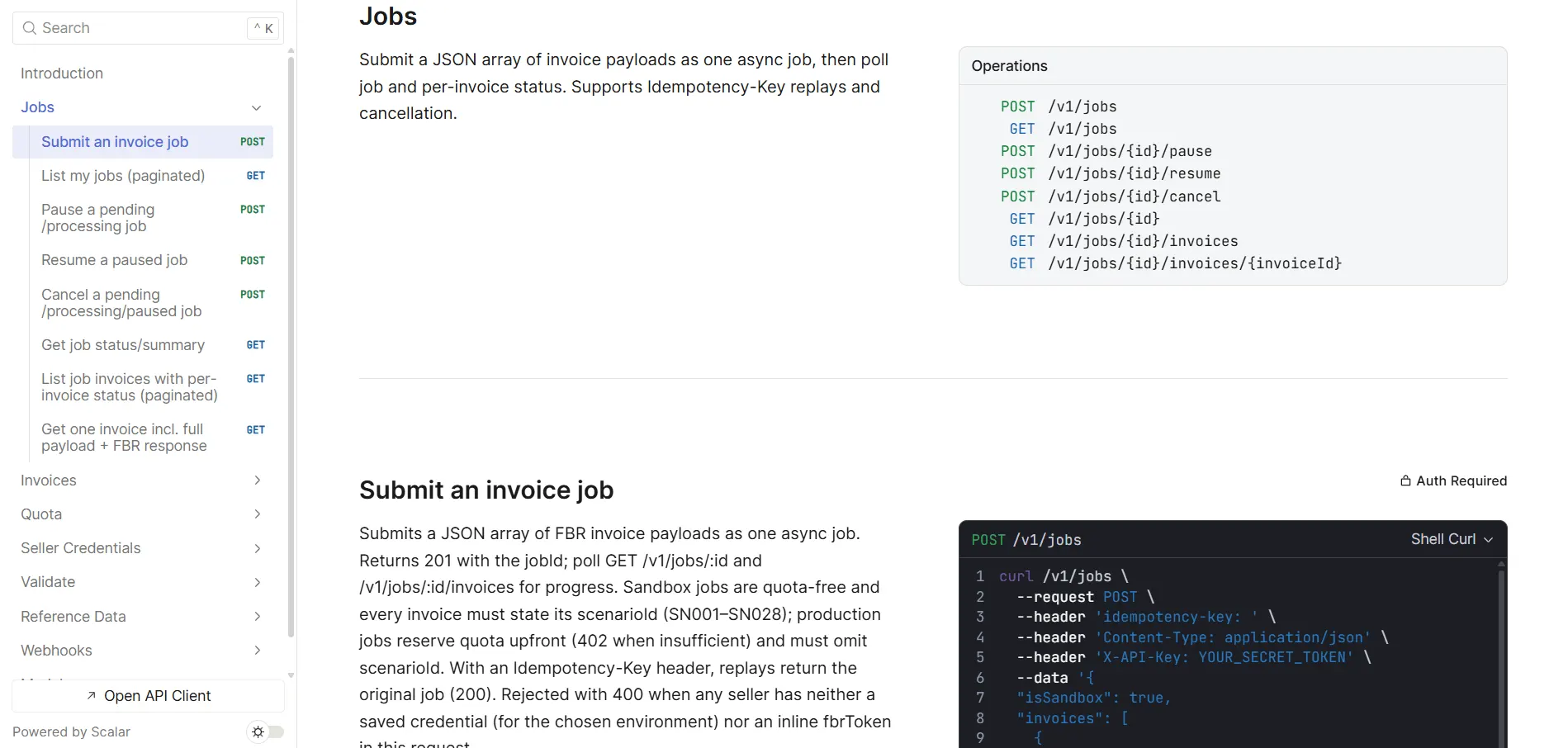
A scheduled or map/reduce script picks up pending transactions every few minutes, builds each one in FBR’s shape — sale type from the tax code, HS code and FBR unit from the item, registration type and province from the customer, and sends them to eInvoicePro’s API as a job of up to 1,000 invoices. The NetSuite internal ID makes a natural idempotency key, so a retry after a timeout can’t file the same transaction twice from your side.
3. Take the results back
Results come back per invoice: an FBR invoice number, or a typed reason for rejection with FBR’s raw response. Either poll the job from the same background script, or receive eInvoicePro’s webhooks (invoice-submitted, invoice-failed, job-completed) through a small inbound endpoint in NetSuite. Write the FBR number, status and any error onto the transaction, and print the number and QR code on the customer copy.
Why the extra step is worth it
Because FBR wants invoices sent when they are raised, the background script should run every few minutes rather than overnight. Split this way, users save transactions at normal speed, FBR outages don’t break data entry, and every transaction carries a visible FBR status that finance can report on with an ordinary saved search.
The data
The custom fields to add
NetSuite’s custom fields are where FBR’s data lives. The IDs below are suggestions — what matters is that each piece has exactly one home.
| Suggested field | Type | Holds |
|---|---|---|
custentity_fbr_ntn | Entity (customer) | Buyer NTN or 13-digit CNIC as bare digits, unless an existing tax registration field already holds it reliably |
custentity_fbr_reg_type | Entity (customer) | Registered or unregistered, set from FBR’s registration check on the customer’s number |
custitem_fbr_hs_code | Item | HS code from FBR’s own list, stored as free text so leading zeros survive |
custitem_fbr_uom | Item | FBR’s wording for the unit — NetSuite’s unit names are not FBR’s |
customrecord_fbr_tax_map | Custom record type | One row per sales tax code, with fields such as custrecord_fbr_sale_type for the FBR sale type, SRO schedule and item serial |
custbody_fbr_status | Transaction body | Pending, filed, failed — the field your saved searches report on |
custbody_fbr_invoice_no | Transaction body | The FBR invoice number, as text, exactly as returned |
custbody_fbr_error | Transaction body | FBR’s error code and message for the last failed attempt |
custcol_fbr_line_result | Transaction line | Optional: the per-line result, for invoices where one line was rejected |
The province usually comes from the customer’s address and your subsidiary’s address; map NetSuite’s state values to FBR’s province names once. Prefixes follow NetSuite’s convention: custentity for entities, custitem for items, custbody for transaction headers, custcol for lines, and custrecord for fields on custom records.
Why the sale type lives on the tax code
Keeping the sale type on a small custom record keyed by tax code, rather than on every item, is deliberate. In NetSuite the tax code already carries the tax treatment of a line; mapping it once to FBR’s sale type means a new item inherits the right treatment from its tax code instead of needing its own. Items still need their HS code and unit, because those describe the goods, not the tax. The tax-code mapping guide goes through FBR’s rules line by line.
OneWorld
Subsidiaries, NTNs and FBR credentials
In FBR’s eyes each Pakistani legal entity is a separate seller. NetSuite OneWorld already models that — the integration just has to respect it.

One NTN per Pakistani subsidiary
Each subsidiary that sells in Pakistan files under its own NTN with its own FBR credentials. One eInvoicePro account can hold credentials for all of them, and a single job can mix transactions from different subsidiaries — the right credential is chosen per invoice.

Everything else stays out
Subsidiaries outside Pakistan, and transaction types that aren’t supplies to a buyer, should never reach the queue. Filter on subsidiary and transaction type in the background script, not after FBR has rejected them.

Intercompany needs a rule
Transactions between your own entities need a decision with your tax advisor. FBR refuses an invoice where the buyer is the seller, so anything booked between records sharing one NTN, such as branch transfers, must be kept out.
Architecture choice
An all-SuiteScript build vs a ready layer
SuiteScript makes a direct FBR connection practical to build in-house. Whatever you build in-house is also yours to maintain.
NetSuite calling FBR directly
- Your developer owns FBR’s payload, per-subsidiary tokens, retries and line-level error reading
- Every FBR specification change is a script change, a sandbox re-test and a release
- FBR has no duplicate protection, so lost responses need careful handling in your code
- HS code, unit, rate and SRO lookups against FBR’s reference data are yours to build
NetSuite → eInvoicePro → FBR
- Scripts translate NetSuite data and send jobs of up to 1,000 invoices
- FBR changes are handled on the API side, outside your NetSuite release cycle
- Idempotency keys, per-invoice retries and FBR’s raw responses are built in
- Many subsidiaries, one account; sandbox and production differ only by a flag
Using NetSuite? Book a demo
See how eInvoicePro files invoices with FBR, and bring your questions about connecting it to NetSuite.
Watch these
NetSuite-specific traps
These are the ones that pass user acceptance testing and fail the first month-end.
Records
- Cash sales are a separate record type from invoices, and they are sales too
- Credit memos need the original transaction’s FBR number, not just its NetSuite number
- Document numbers with prefixes or slashes must be transformed — FBR accepts letters, digits and hyphens
- Editing a filed invoice in NetSuite changes nothing at FBR
Scripts
- A save-time script also runs on edits — don’t queue a filed invoice again
- Transactions arriving by CSV import, integrations or web services may not run your user event script, depending on settings — test every entry path
- Background scripts have processing limits; size jobs so a large batch doesn’t stall
- Concurrency limits are shared between SOAP, REST and RESTlets — an inbound webhook endpoint competes with your other integrations
- Sandbox refreshes copy production data — make sure a refreshed sandbox can’t file to FBR production
Data
- Customers created by sales teams often lack a tax ID or province
- Items without an HS code should stop at your own check, not at FBR
- Price-inclusive pricing hides the value before tax FBR needs per line
- A header-level discount has to be spread across lines for FBR
Going live
A realistic four-week rollout
NetSuite’s own sandbox and FBR’s sandbox fit together neatly, as long as they are never crossed with production.
-
Map and add fields
Create the custom fields, map every sales tax code to an FBR sale type, and fill HS codes and FBR units on the items you sell. Record each Pakistani subsidiary’s NTN.
-
Build and test in both sandboxes
Deploy the scripts to your NetSuite sandbox, pointed at eInvoicePro with the sandbox flag on. Work through the scenarios FBR has assigned to each of your NTNs — no business receives all 28. When the test invoices succeed, FBR issues production tokens automatically.
-
Run in parallel
In production, queue and validate every transaction against FBR without filing. Reconcile daily against a saved search of the day’s sales, subsidiary by subsidiary.
-
File continuously
Switch the background script to live filing on a short schedule. Build a saved search of failed and pending transactions and give it an owner.
Finance or controller
Owns the tax-code-to-sale-type mapping with your advisor, and the daily reconciliation per subsidiary.
NetSuite administrator or partner
Builds the fields and scripts, manages sandbox and production deployments, and watches the failed-transaction search.
Tax advisor
Confirms scope, reduced-rate and exempt treatments, intercompany rules, and any section 64D credit on the build.
FAQ
Frequently Asked Questions
Does NetSuite support FBR digital invoicing out of the box?
No. There is no Pakistan FBR localization in NetSuite. Filing is added with custom fields and a small set of scripts that send each sales transaction to a filing layer such as eInvoicePro and record the FBR number it returns.
Should the FBR call happen when the invoice is saved?
Mark it then, but file it from a background script. Calling FBR during the save makes users wait on FBR, uses up the script’s processing allowance, and leaves a half-finished state if the connection drops.
We have several Pakistani subsidiaries. Is that several integrations?
No. Each subsidiary files under its own NTN with its own FBR credentials, but one eInvoicePro account holds them all and a single job can mix transactions from different subsidiaries.
Do cash sales need to be filed too?
If they are taxable supplies, yes. NetSuite records them as a separate transaction type from invoices, so make sure your scripts cover both.
How do we avoid filing the same transaction twice?
Use the NetSuite internal ID as the idempotency key, so a retry after a network timeout is recognised as the same invoice. FBR itself has no duplicate protection, so for any transaction left in an unknown state, check whether FBR already has it before resending.
Can a credit memo in NetSuite cancel an FBR invoice?
No — a credit memo is a NetSuite document, and FBR never sees it as a cancellation. Cancelling or editing a filed invoice is a manual step in FBR’s own system, open for 72 hours after a genuine mistake; anything later is a new note that carries the original FBR invoice number.
Do we need to replace NetSuite?
No. NetSuite stays your system of record. The integration adds a filing step alongside it and a few fields to hold FBR’s results.
Continue
Related guides & articles
What to store once FBR answers
The fields your transactions need, and why each one earns its place.
Read moreMapping tax codes to FBR sale types
Turning NetSuite tax codes into what FBR checks on every line.
Read moreDigital invoicing API
Jobs, idempotency keys, webhooks and the sandbox flag.
Read moreSAP + FBR guide
The same ready-layer pattern for SAP landscapes.
Read moreSandbox to go-live
How FBR’s assigned scenarios lead to your production token.
Read moreFBR error codes
What each rejection means and which field to fix.
Read moreReady to simplify your FBR digital invoicing?
Join 2000+ businesses that use eInvoicePro to make invoices and send them to FBR.